
Features
Every control a halftone separation needs, in one Photoshop panel.
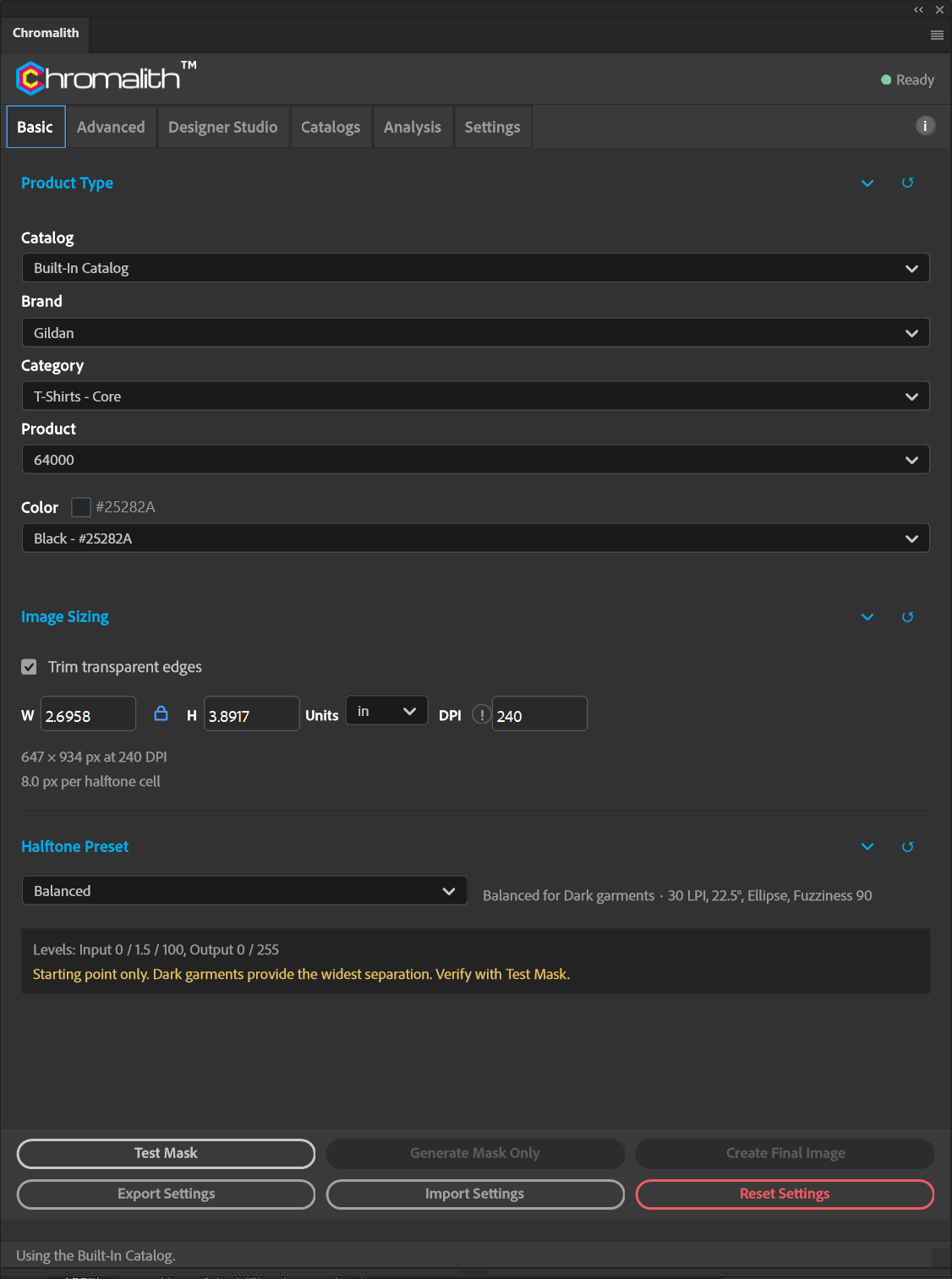
Chromalith has six tabs: Basic for everyday jobs, Advanced for production control, Designer Studio for shapes and edges, Catalogs for your blanks, Analysis for measurement, and Settings for licensing and storage.
Basic tab
Knockout matched to the garment
Pick the product and color, set the print size, choose a preset, and run Test Mask. Most jobs never need another tab.
- Product Type. Brand, category, product, and color from the built-in catalog or your own. The selected color becomes the knockout color.
- Image Sizing. Width, height, units, and DPI with an aspect lock. Optional trim of transparent edges. The panel reports pixel dimensions and pixels per halftone cell.
- Halftone presets. Subtle (35 LPI, fuzziness 60), Balanced (30 LPI, fuzziness 90), and Vintage (22 LPI, fuzziness 120), each with Levels set for dark, bright, or light garments. Edit anything and the preset becomes Custom.
- Live Testing. Test Mask opens a preview document that updates as you change settings, without touching your original file.
Screening
AM, FM, or both
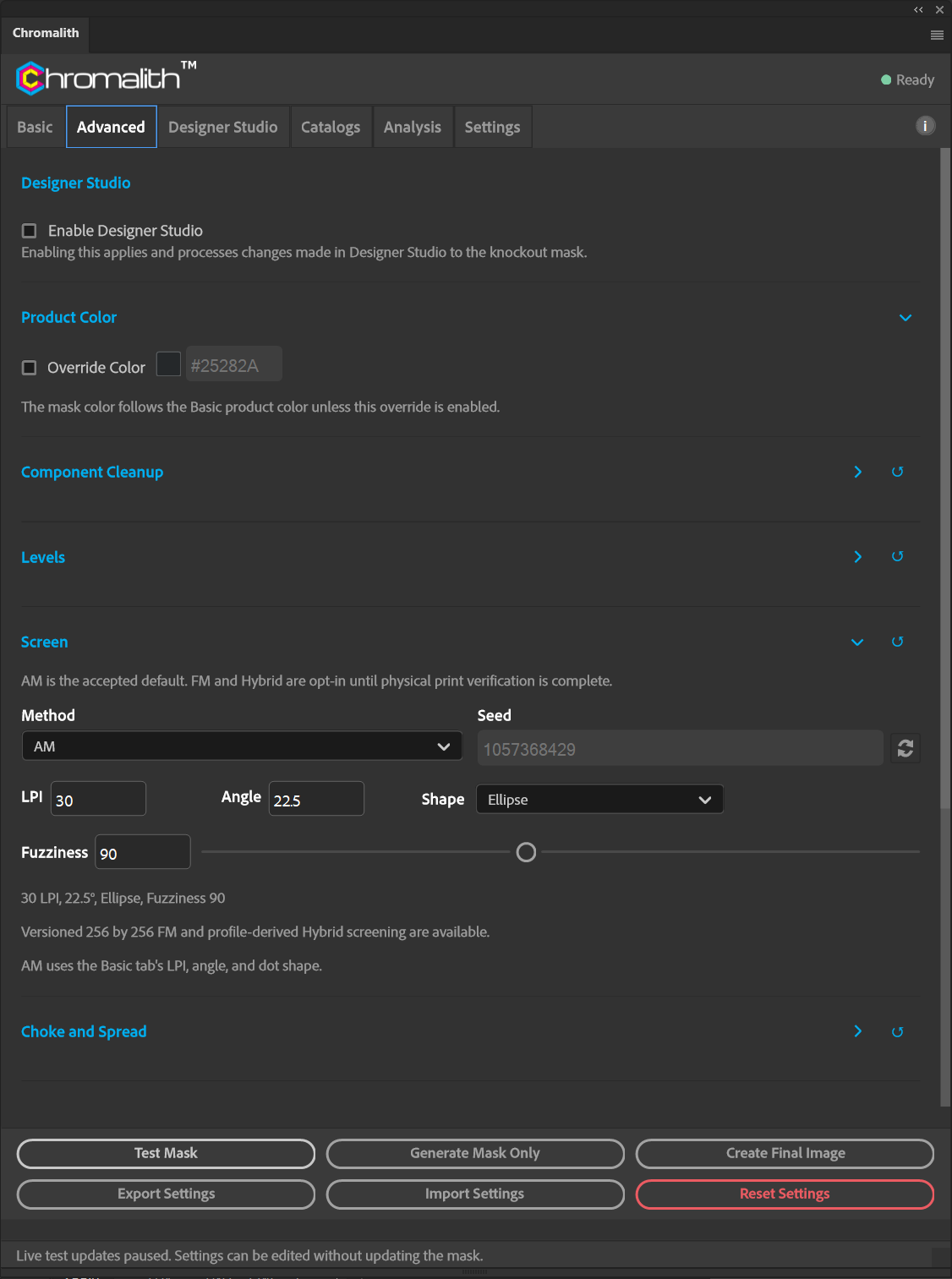
The Screen section on the Advanced tab overrides the preset's halftone settings.
- AM screening with LPI, angle, and six dot shapes: Cross, Diamond, Ellipse, Line, Round, and Square.
- FM Blue Noise with a repeatable seed, from a 256 × 256 threshold asset that keeps tone density.
- Hybrid AM/FM switches to FM wherever an AM dot or opening would fall below your printer's physical limits, read from the active device profile.
- Levels with a draggable black, gamma, and white strip plus exact input and output values.
Designer Studio
Shapes and printable edges
Designer Studio reshapes the knockout mask. Artwork pixels never change, and every adjustment previews through Test Mask.
- Shape library. 4,808 shapes in 103 categories, plus geometric primitives such as polygons and stars with adjustable sides and points.
- Edge treatments. 21 styles across Torn and Organic, Distress, Brush and Painterly, Fade, Clean and Geometric, and Halftone Native families, with 16 ready-made presets you can save, import, and export.
- Fades DTF can print. Feathers are rendered as screened full-ink dots, because DTF can't print partial transparency.
- Edge Analysis reports the smallest edge feature, smallest gap, smallest fade dot, and isolated fragments.

Production
Underbase, highlight white, and named inks
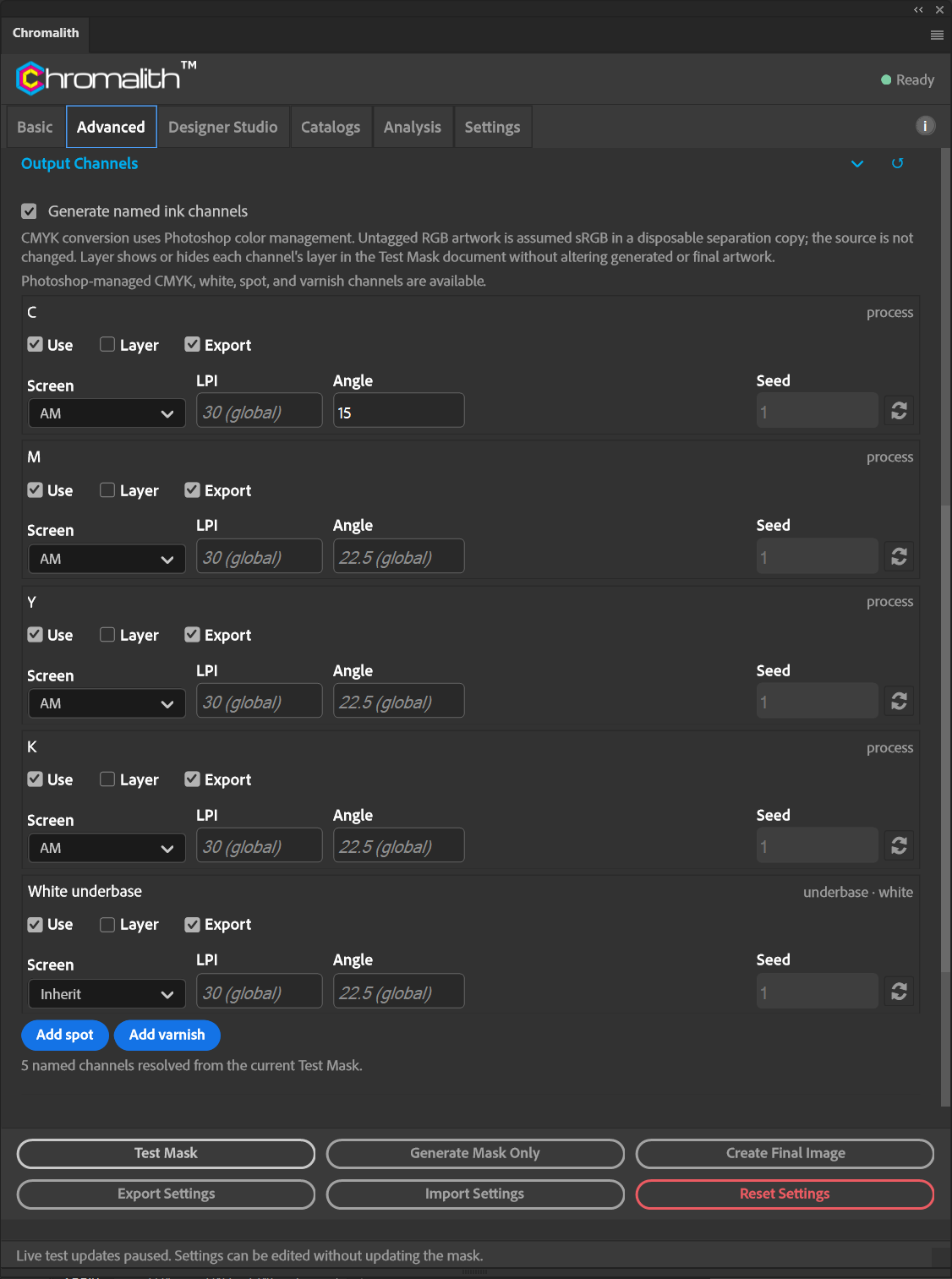
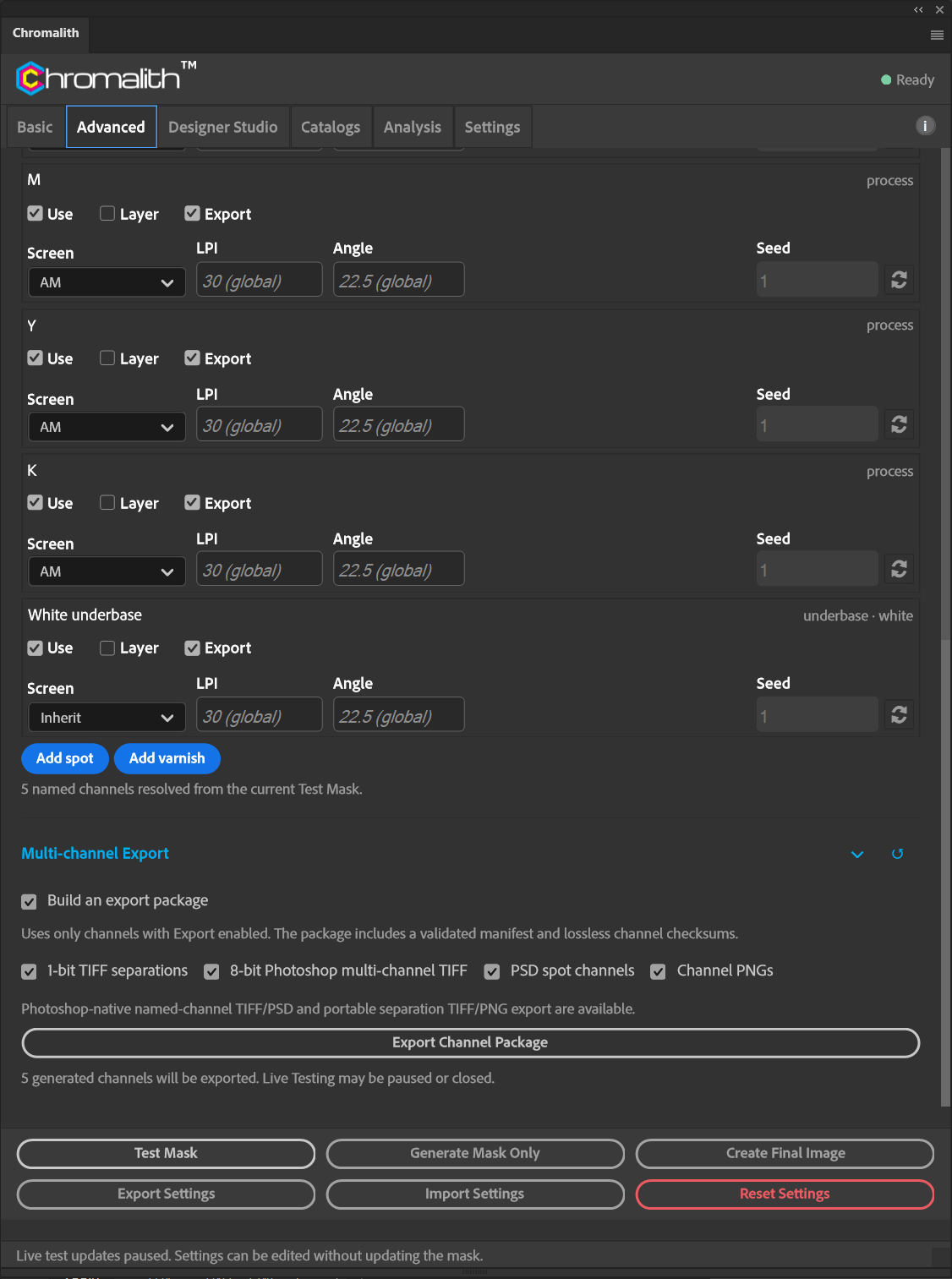
Turn on Output Channels to generate named ink channels alongside the knockout.
- Process channels C, M, Y, and K through Photoshop color management, plus white underbase.
- Spot and varnish channels you add and name yourself.
- Per-channel control. Use, Layer, and Export switches, with a screen, seed, and AM/Hybrid LPI and angle overrides for each channel.
- Underbase refinement. Underbase choke and minimum process edge gap in µm, a highlight white threshold, and 1 to 8 white passes.
- Choke and spread in µm, either a conservative automatic amount from the device profile or your own value, with a protected minimum gap.
Output channels →
Underbase and highlight white →
Choke and spread →
Analysis
Clean it, measure it, price it
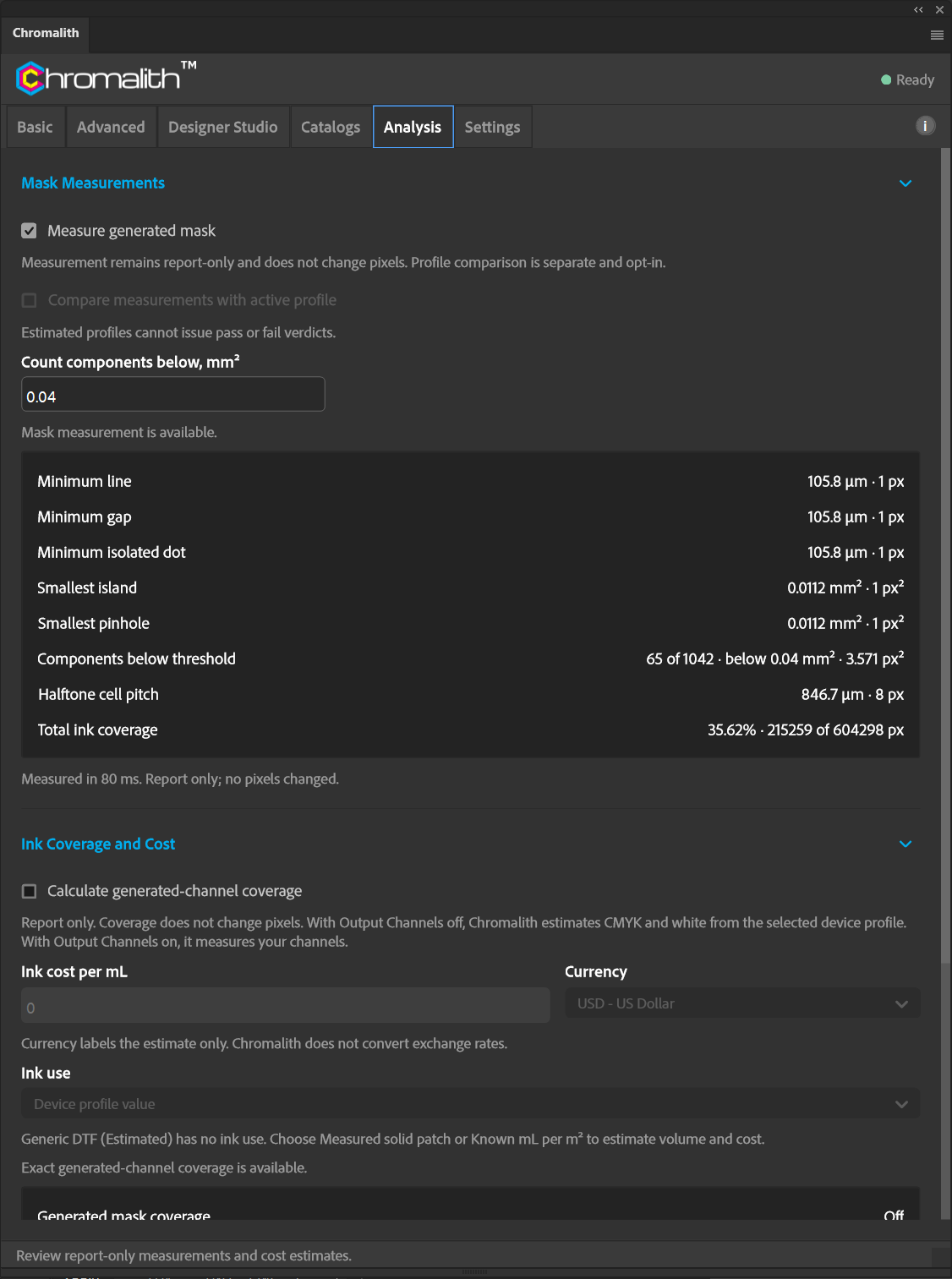
Find the details that will fall off the film before you waste a sheet.
- Component cleanup. Remove small islands, fill small pinholes, and remove one-pixel orphans, each by area threshold in mm², with bright markers that show what changed.
- Mask measurements. Minimum line, gap, and isolated dot, smallest island and pinhole, components below a threshold, halftone cell pitch, and total ink coverage.
- Ink coverage and cost. Coverage and area per generated channel, with an estimated ink cost from your price per mL.
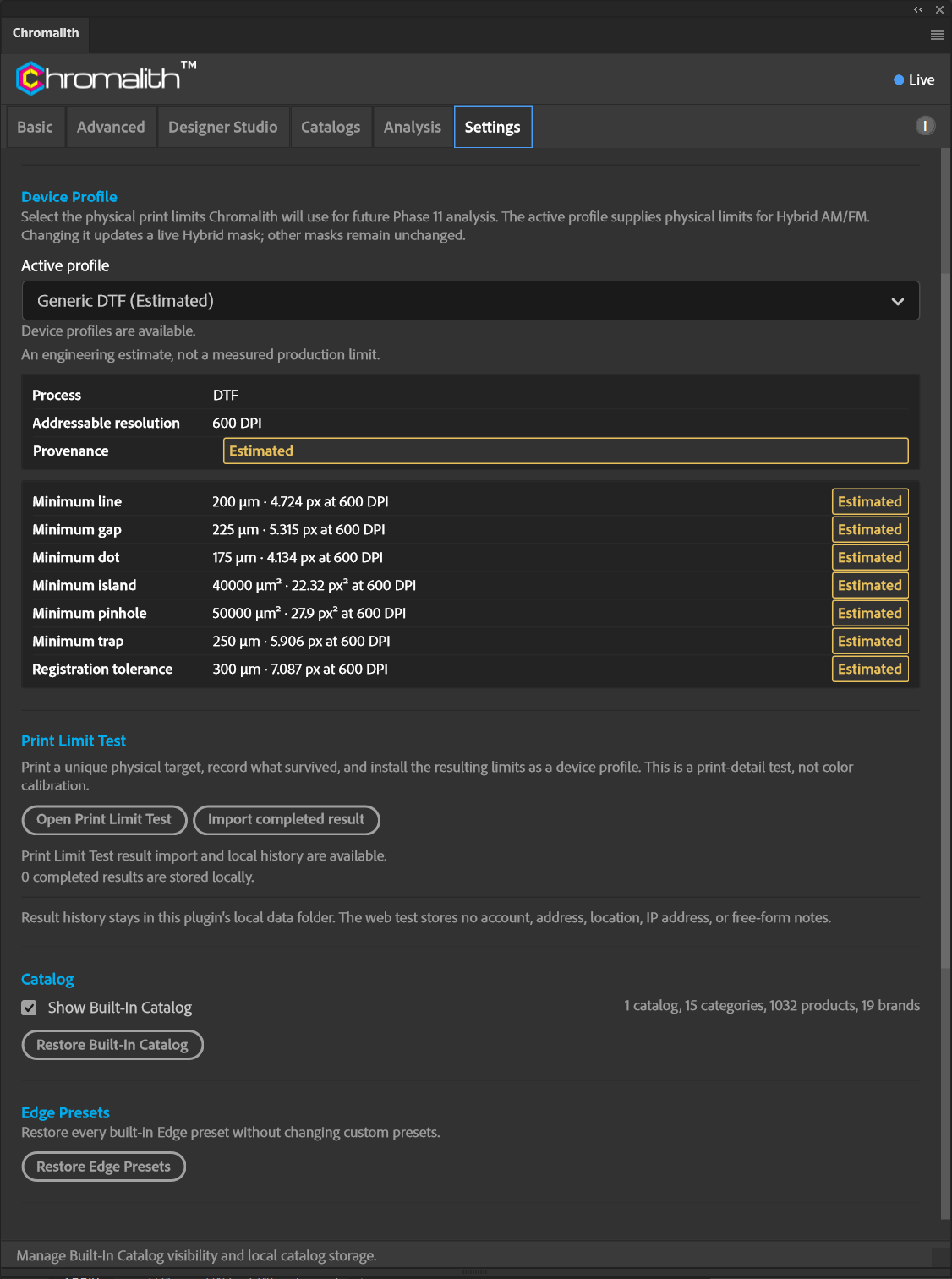
- Device profiles on the Settings tab hold your printer's physical limits, labeled by provenance: certified, measured, community, vendor published, your test, or estimated.
Component cleanup →
Mask measurements →
Ink coverage and cost →
Device profiles →
Export
Separations your RIP can read
Multi-channel Export builds a package from every channel marked Export.
- Four formats: 1-bit TIFF separations, 8-bit Photoshop multi-channel TIFF, PSD spot channels, and channel PNGs.
- Verified output. Each package includes a validated manifest and lossless checksums for every channel.
- Portable job settings. Export your panel settings to a file and import them on another computer or for a repeat order.
Free tool
Print Limit Test
Find out what your printer can actually hold. Print one generated target, record which samples survived, and install the result as a device profile.
- No account. The web test stores no account, address, location, IP address, or free-form notes.
- Scale-checked. Each target has unique scale references, so a print that wasn't made at actual size is caught before you enter results.
- Feeds Chromalith. Import the completed result on the Settings tab to drive choke, spread, and Hybrid screening.
All of it for $9.95 a month.
No feature tiers. Every subscriber gets every tab.
Chromalith is in Adobe review. The purchase button goes live the day Adobe publishes the listing.