
Docs / Analysis tab
Mask measurements
Measure the generated mask in physical units before you print it. Measurement is report-only and never changes pixels.
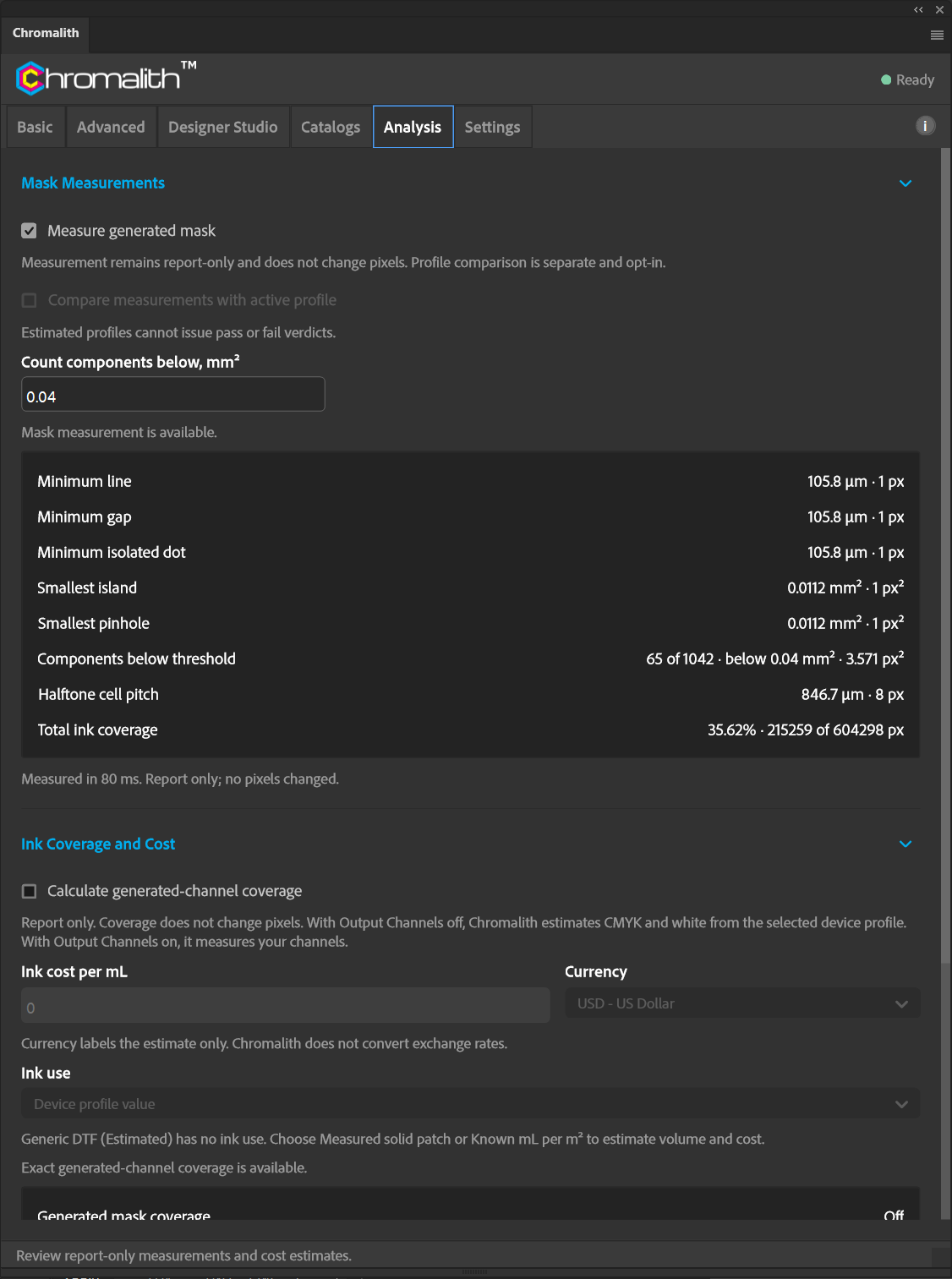
Turn on Measure generated mask and run Test Mask. Chromalith reports:
| Measurement | Meaning |
|---|---|
| Minimum line | The thinnest continuous ink stroke. |
| Minimum gap | The narrowest opening between inks. |
| Minimum isolated dot | The smallest standalone dot. |
| Smallest island / Smallest pinhole | The smallest separate ink area and the smallest hole, in mm². |
| Components below threshold | How many components are smaller than Count components below, mm² (default 0.04). |
| Halftone cell pitch | The distance between halftone cells, for example 846.7 µm at 30 LPI. |
| Total ink coverage | Inked pixels as a share of the canvas. |
Values are shown in µm with the pixel equivalent, for example 84.7 µm · 1 px at 300 DPI.
Compare with a profile
Turn on Compare measurements with active profile to get a Profile verdict against your printer's limits. Estimated profiles can't issue pass or fail verdicts; measure your printer first. View threshold source shows where each limit came from.