
Docs / Advanced tab
Multi-channel Export
Package every channel marked Export in the formats your RIP or screen room needs.
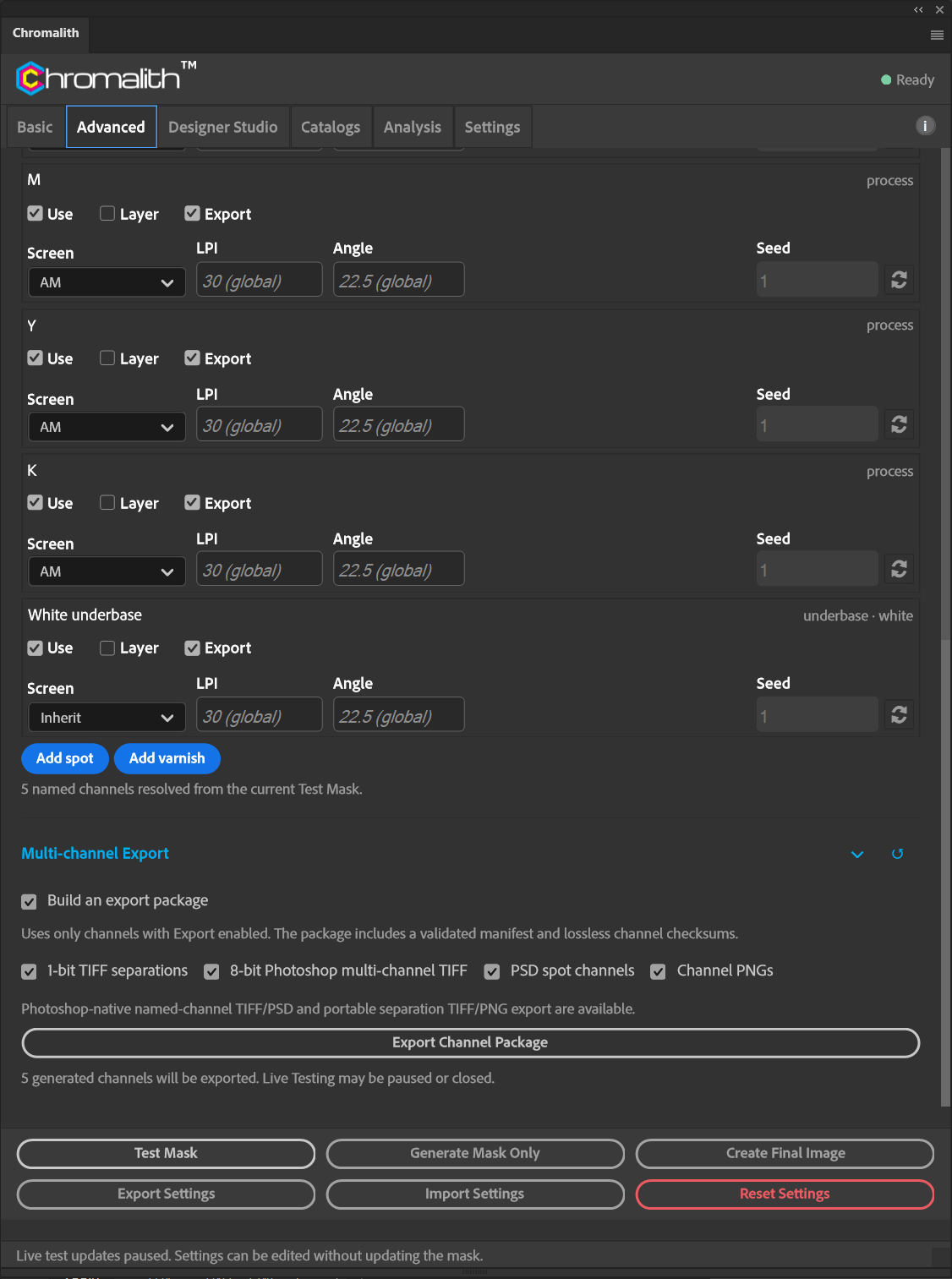
Turn on Output Channels, run Test Mask, then choose formats and select Export Channel Package.
| Format | Contents |
|---|---|
| 1-bit TIFF separations | One bitmap per channel. Every exported channel must be binary (0 or 255), including registered DTF/DTG white. Continuous-tone channels, including UV white with intermediate values, are refused. |
| 8-bit Photoshop multi-channel TIFF | All channels in one TIFF with named channels. |
| PSD spot channels | A Photoshop document with named spot channels. |
| Channel PNGs | One grayscale PNG per channel. |
Each package includes a manifest that follows the published manifest schema, with lossless checksums for every channel. Chromalith re-reads exported channels to confirm they are bit-identical.