
Docs / Settings tab
Device profiles
A device profile holds your printer's physical limits. Hybrid screening, automatic choke, measurement verdicts, and ink volume read from it.
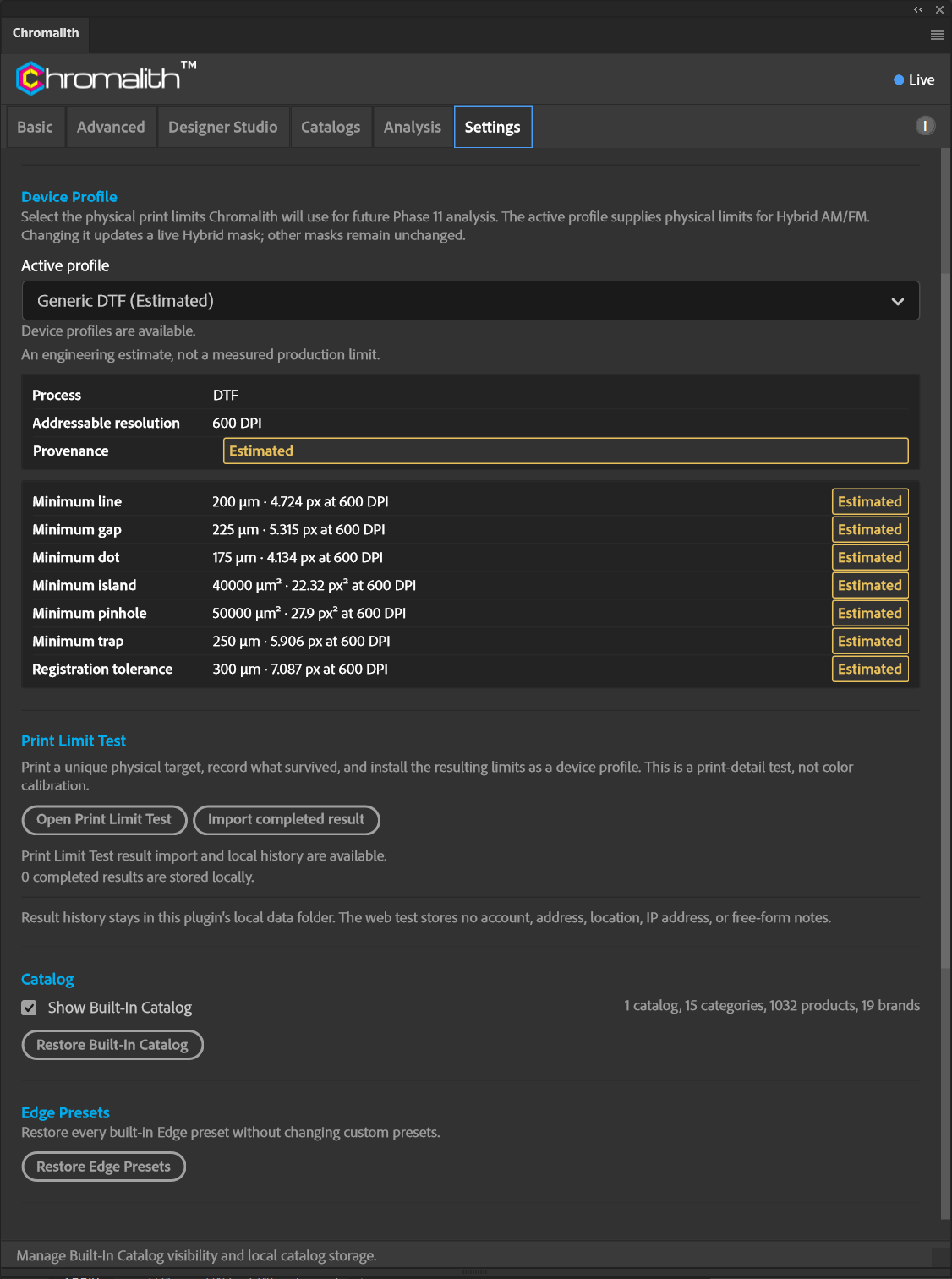
Choose the Active profile under Device Profile on the Settings tab. Each profile lists its process, addressable resolution, provenance, and limits:
Bundled profiles
Chromalith includes 11 device profiles. The process and provenance below match the Settings tab; vendor-published limits are guidelines from the named provider, not a measurement of your printer.
| Profile | Process | Provenance |
|---|---|---|
| Generic DTF (Estimated) | DTF | Estimated |
| DTF-King Standard DTF | DTF | Vendor published |
| Transfer Express UltraColor Max | DTF | Vendor published |
| EXCARD DTF T-Shirt | DTF | Vendor published |
| EXCARD Silkscreen T-Shirt | Screen | Vendor published |
| dtfprint.hr DTF | DTF | Vendor published |
| StickerHD UV DTF | UV | Vendor published |
| Ottoron UV DTF | UV | Vendor published |
| DTFOnline UV DTF | UV | Vendor published |
| PNW Print Co UV DTF | UV | Vendor published |
| PurePack UV DTF | UV | Vendor published |
Unpublished limits stay Not published. A missing dot or gap limit is not filled in from another profile. The Generic DTF values below are estimates, pending verification on your print setup.
| Limit | Generic DTF (Estimated) |
|---|---|
| Minimum line | 200 µm |
| Minimum gap | 225 µm |
| Minimum dot | 175 µm |
| Minimum island | 40,000 µm² |
| Minimum pinhole | 50,000 µm² |
| Minimum trap | 250 µm |
| Registration tolerance | 300 µm |
Provenance
Every value carries a provenance label so you know how much to trust it: Certified, Measured, Community, Vendor published, Your test, or Estimated. Estimated profiles are engineering estimates, not measured production limits, and can't issue pass or fail verdicts.
Changing the active profile updates a live Hybrid mask. Other masks stay as they are until you test again.