
Docs / Advanced tab
Screen
Choose how tone becomes dots: method, frequency, angle, dot shape, and how aggressively the garment color is removed.
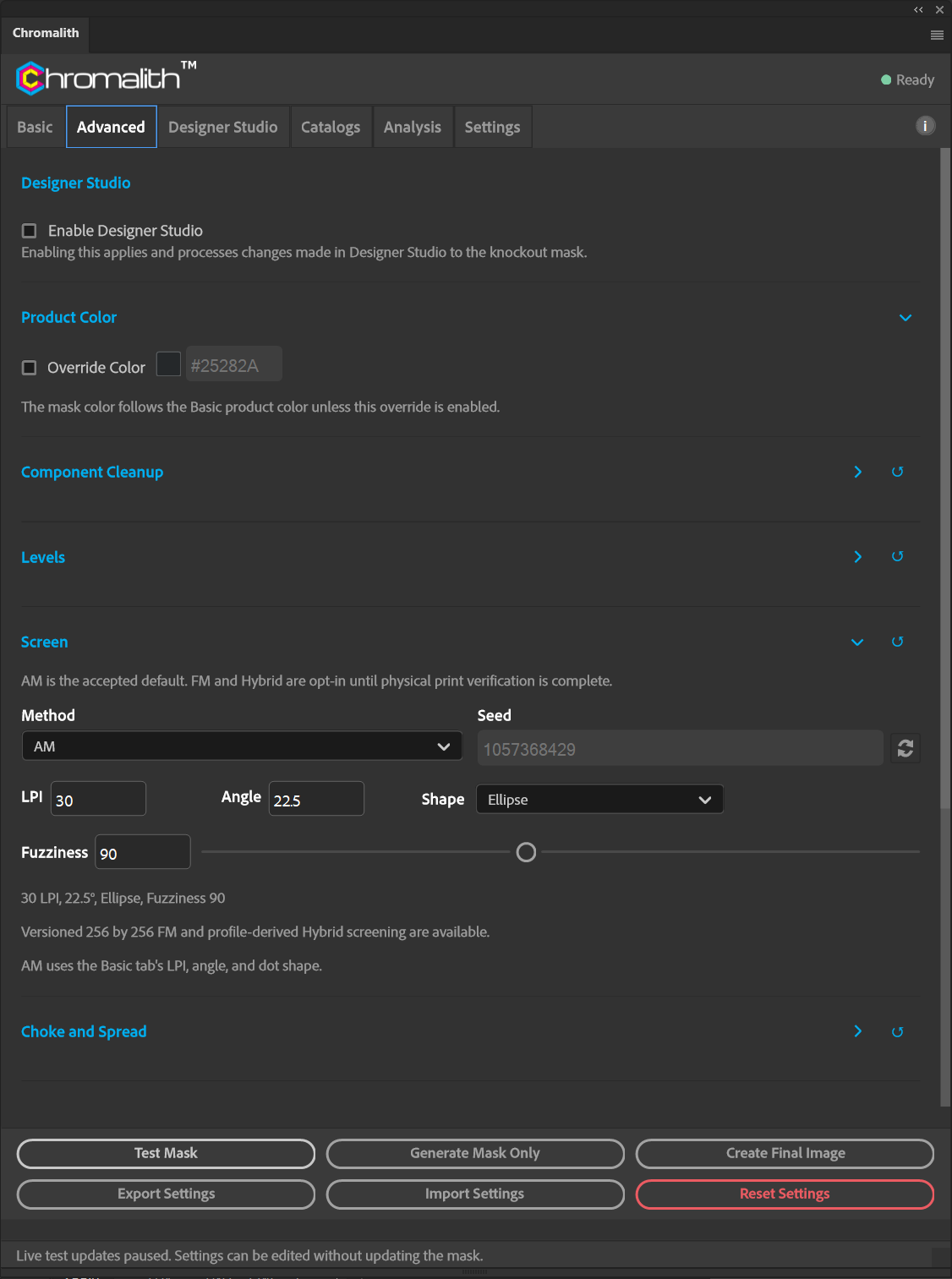
| Control | What it does |
|---|---|
| Method | AM (default): fixed grid, variable dot size. FM Blue Noise: fixed dot size, variable spacing. Hybrid AM/FM: AM, switching to FM where an AM dot or gap would be too small for your printer. |
| Seed | FM and Hybrid only. The same seed gives the same pattern. Use the refresh button for a new one. |
| LPI | Lines per inch. Lower is coarser and more forgiving; higher is finer and needs more DPI. |
| Angle | Screen angle in degrees. 22.5° keeps the pattern off the garment's knit lines. |
| Shape | Cross, Diamond, Ellipse, Line, Round, or Square. |
| Fuzziness | How far from the garment color a pixel can be and still knock out. Higher removes more. |
About FM and Hybrid
FM uses a 256 × 256 blue-noise threshold that preserves tone density. Hybrid reads the active device profile: FM takes over wherever an AM dot would fall below the profile's minimum dot or an AM opening below its minimum gap. If the active profile can't supply those limits, the Screen section reports that Hybrid is unavailable. Run the Print Limit Test for limits measured on your printer.
Hybrid stays selected when it is unavailable; Chromalith does not silently switch Method or LPI. The availability sentence reflects the active profile and requested screen. Missing-limit examples read Minimum dot not published by StickerHD UV DTF. and Minimum gap not published by dtfprint.hr DTF. The other bundled UV profiles also have no published minimum dot.
At 300 DPI, 30 LPI and Ellipse, the EXCARD DTF T-Shirt explanation reads:
EXCARD DTF T-Shirt: minimum dot 706 µm and minimum gap 706 µm do not leave a usable AM tone range in a 846.67 µm cell at 30 LPI (10 px at 300 DPI), after whole-pixel rounding and the 2 px safety margin. Hybrid is available at 24 LPI with these limits.
That advice is specific to those settings, not a universal LPI limit. Follow the current panel message when DPI, LPI or profile changes. An unavailable request is refused before creating a Prepared document. A later valid request can be tested normally.
Different screens for different inks
These LPI and Angle settings are the global defaults. In Output Channels, each AM or Hybrid channel can override either value, even when its method is Inherit. Empty channel fields keep the global value. FM Blue Noise has no ruling or angle, so those overrides are hidden and ignored.
Overlapping AM screens can create moiré. Separate screen angles help manage that interference: a conventional four-color starting point is C 15°, M 75°, Y 0°, and K 45°. Verify the result against your mesh, inks, artwork, and physical print; angles alone do not guarantee a moiré-free print.
AM is the accepted default. FM and Hybrid are opt-in until you've confirmed them with a physical print on your setup.