
Docs / Designer Studio
Edge treatments
Finish the outline with a torn, distressed, brushed, faded, or halftone-native edge that DTF can actually print.

Presets
Pick a preset to load a complete edge, then adjust. Built-in presets: Clean Inset, Cracked Edge, Deckle Soft, Dot Dissolve, Dot Fade, Dry Brush, Edge Erosion, Edge Speckle, Eroded Stone, Ink Wash, Organic Large, Rough Tear, Scanline Fade, Screen-Aware Vignette, Soft Feather, and Torn Paper Medium.
Changing a value marks the preset Modified. Save stores it as your own preset; Import and Export move presets between computers. Settings → Edge Presets restores the built-ins without touching yours.
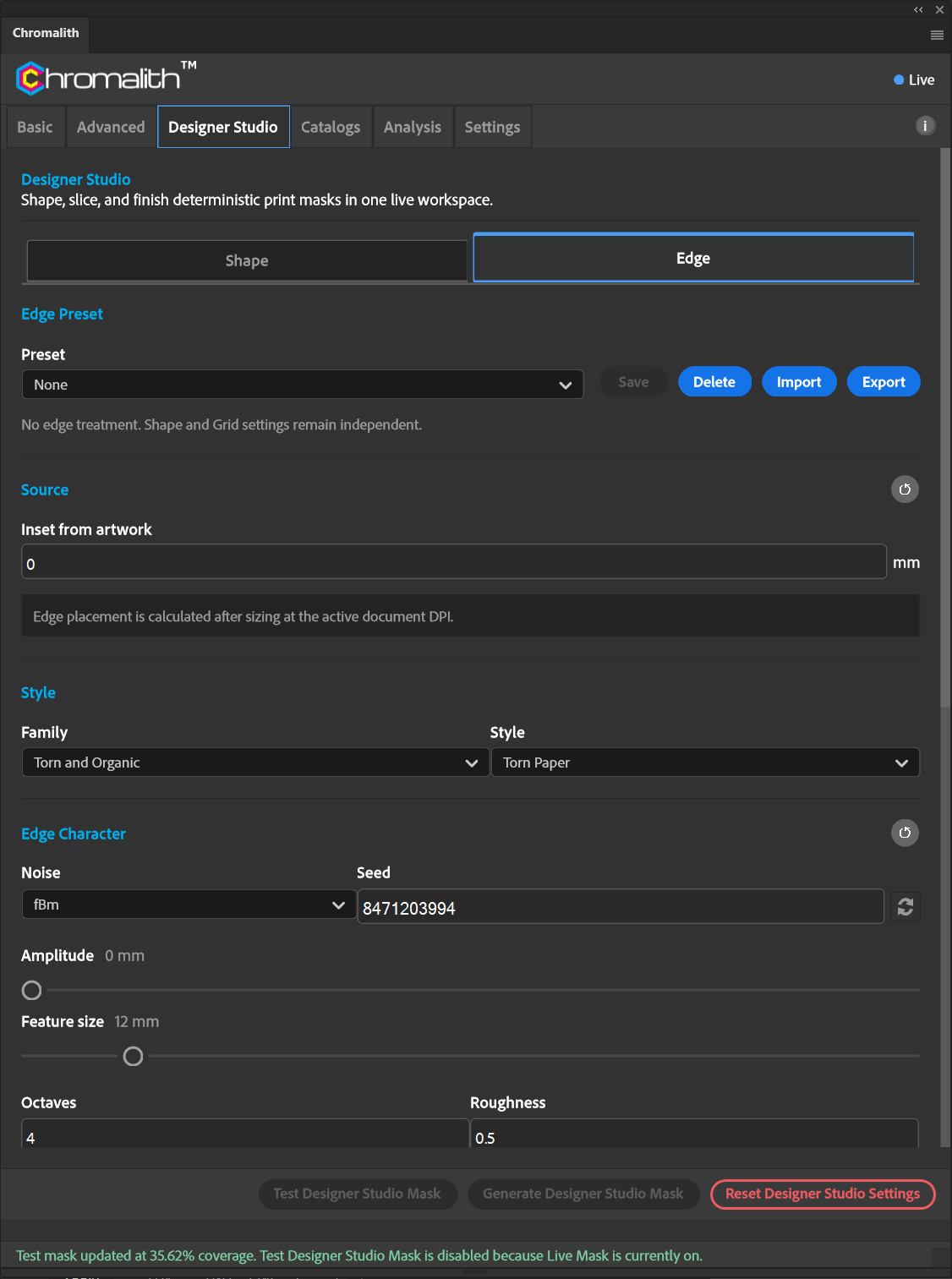
Styles by family
| Family | Styles |
|---|---|
| Clean and Geometric | Clean Inset, Subtle Organic, Soft Geometric |
| Fade | Linear Fade, Shaped Feather, Vignette |
| Torn and Organic | Torn Paper, Deckle Edge, Rough Tear, Eroded Stone, Organic Blob |
| Brush and Painterly | Dry Brush, Ink Wash, Sponge |
| Distress | Erosion, Speckle, Crack |
| Halftone Native | Dot Fade, Dot Dissolve, Scanline Fade, Screen-Aware Vignette |
Controls
| Section | Controls |
|---|---|
| Source | Inset from artwork in mm. Placement is calculated after sizing at the document's DPI. |
| Edge Character | Noise (fBm, Perlin, Ridged, Simplex, Value, White, Worley), Seed, Amplitude and Feature size in mm, Octaves, Roughness. |
| Feather | Width in mm and Profile (Ease, Gaussian, Linear). Rendered as screened full-ink dots for DTF. |
| Distress | Erosion (mm), Speckle (%), Speckle size (mm), Cracks (%). |
| Output | Shows process, mask type, and active profile. |
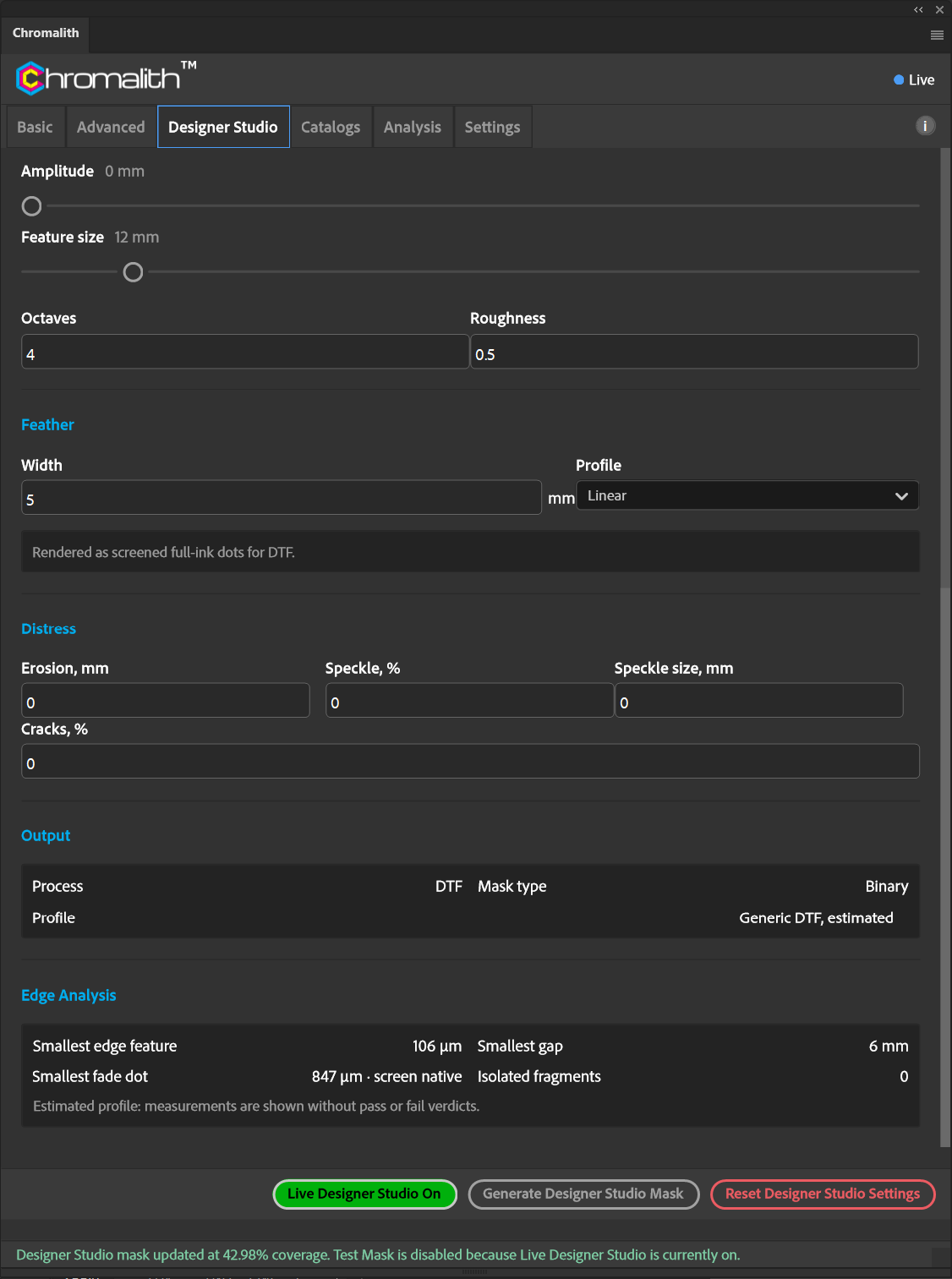
Edge Analysis
After a test, Edge Analysis reports the smallest edge feature, smallest gap, smallest fade dot, and the number of isolated fragments. With an estimated device profile these are shown without pass or fail verdicts. The image caption records the values shown.