
Docs / Settings tab
Settings, storage, and reset
License, catalog visibility, edge preset restore, file locations, and a full reset.
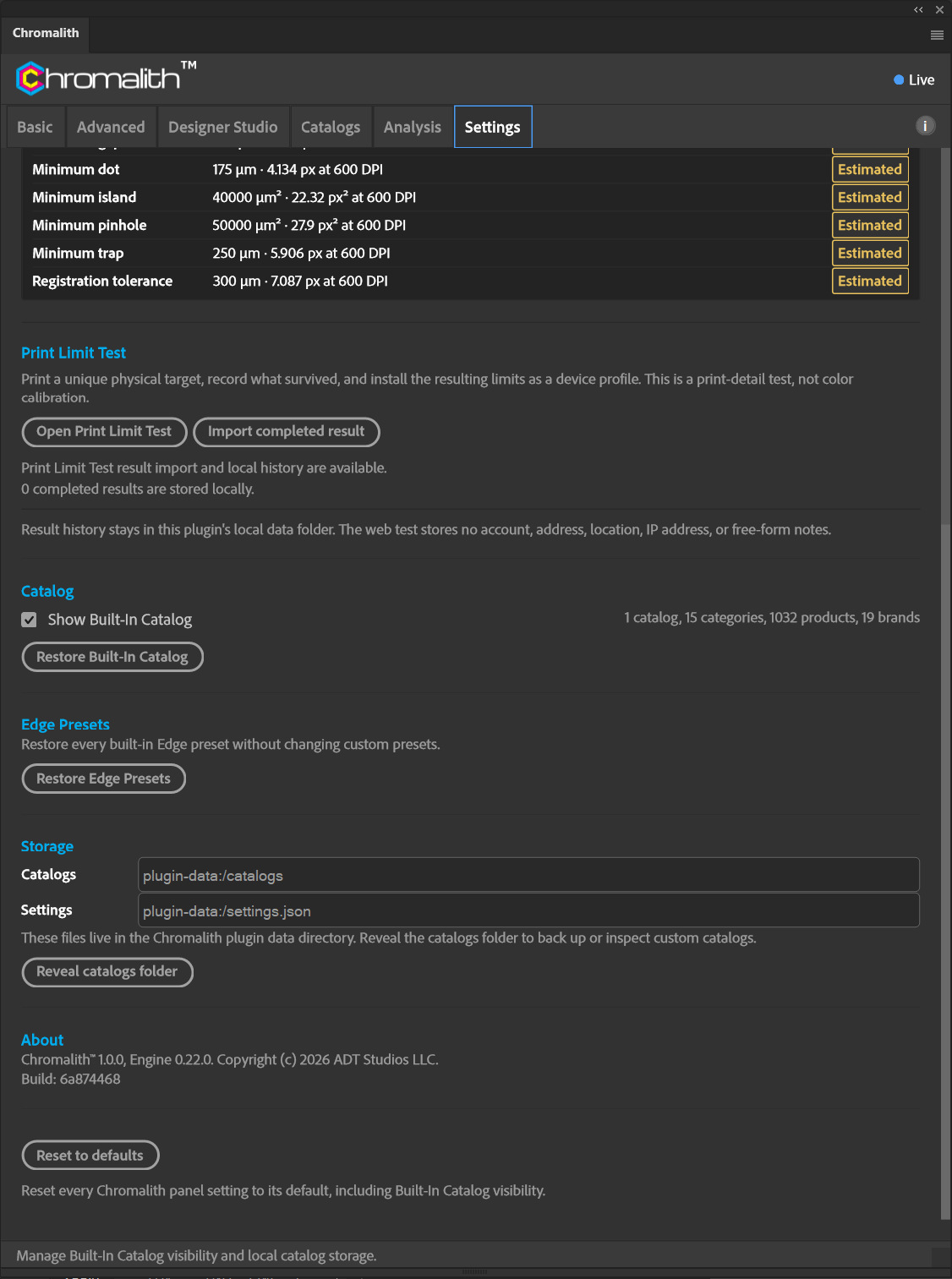
| Section | What it does |
|---|---|
| License | Activate, release, or move your license. See Activate, Move, and Release. |
| Catalog | Show Built-In Catalog toggles the bundled catalog. Restore Built-In Catalog resets it to the shipped version. If it's hidden and you have no custom catalogs, Product Type is hidden too. |
| Edge Presets | Restore Edge Presets restores every built-in preset without changing your custom presets. |
| Storage | Shows the catalogs folder and settings file inside the plug-in data directory. Reveal catalogs folder opens it. |
| About | Plug-in and engine version. Reset to defaults resets every panel setting, including Built-In Catalog visibility. |
Before reinstalling, use Export Settings and save the backup outside the plug-in data folder. Uninstalling can delete settings, custom catalogs, edge presets, and Print Limit Test history. License activation is separate and may need to be repeated. Export Settings does not include license credentials.
Normal plug-in updates are expected to preserve settings, but that is not guaranteed. A Creative Cloud Marketplace update is different from uninstalling and reinstalling; the latter can remove the data folder. Keep an external backup and use Import Settings if needed. An update from a published Chromalith version still needs its own host validation.