
Docs / Catalogs tab
Catalog Manager
Edit the built-in garment catalog or build catalogs of your own blanks and colors.
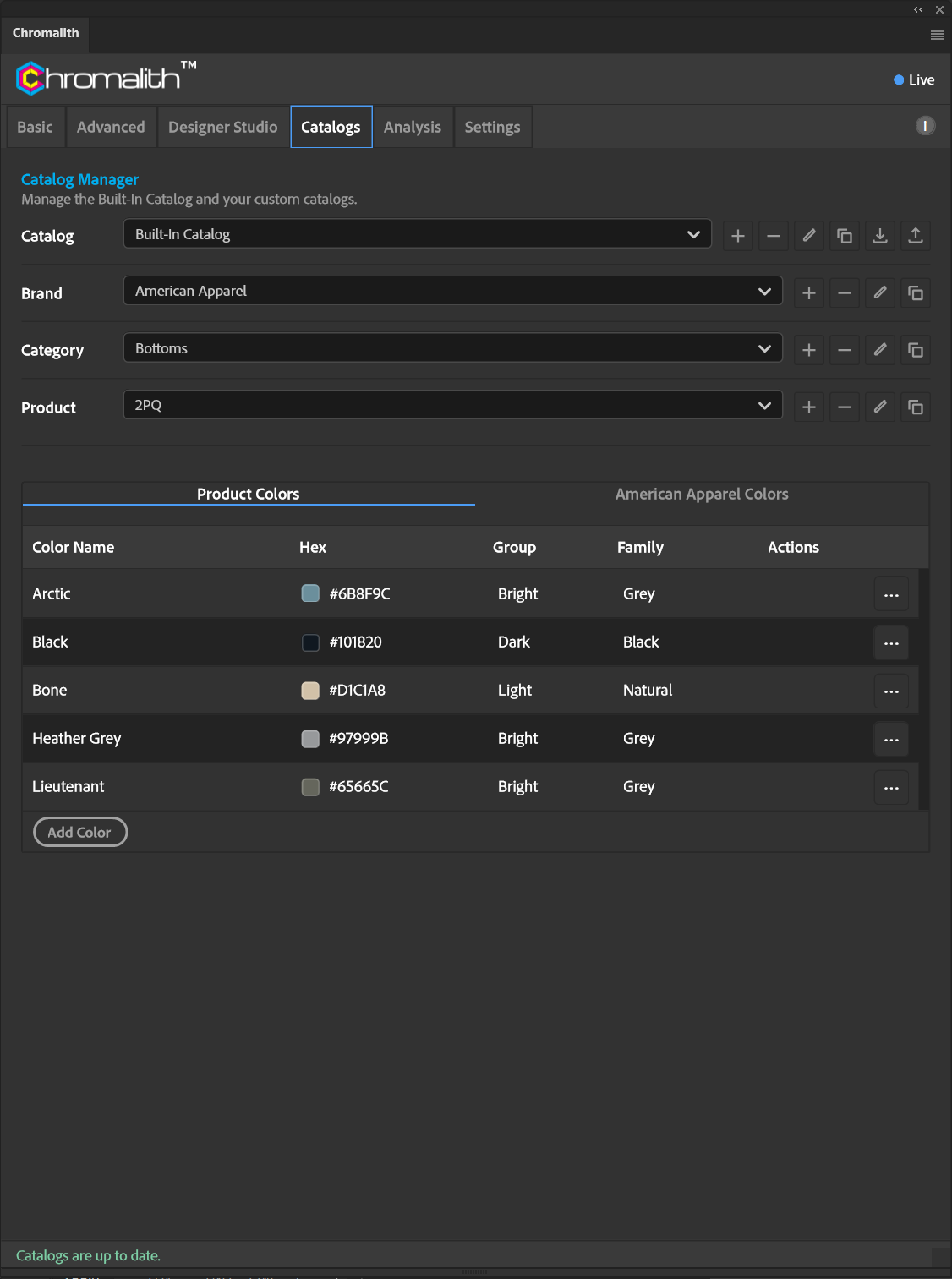
Each level (Catalog, Brand, Category, Product) has add, delete, rename, and duplicate buttons. Catalogs can also be imported and exported as files, which is how you share a catalog with another workstation.
Colors
The color table lists each color's name, hex, group, and family. Product Colors shows colors for the selected product; Brand Colors shows the brand's full palette. Select Add Color to add one.
| Column | Meaning |
|---|---|
| Color Name | The name shown in the Basic tab color menu. |
| Hex | The six-digit color used as the knockout color. |
| Group | Dark, Bright, or Light. Controls which preset Levels apply. |
| Family | A broad color family used for sorting, such as Grey or Natural. |
Where catalogs live
Catalogs are files in the plug-in's data folder. Settings → Storage → Reveal catalogs folder opens it so you can back them up. Edits are written directly and verified after each save.
Don't delete or edit files in that folder while Photoshop is running. Use the Catalog Manager, or close Photoshop first.